
FAIR data
FAIR from day one
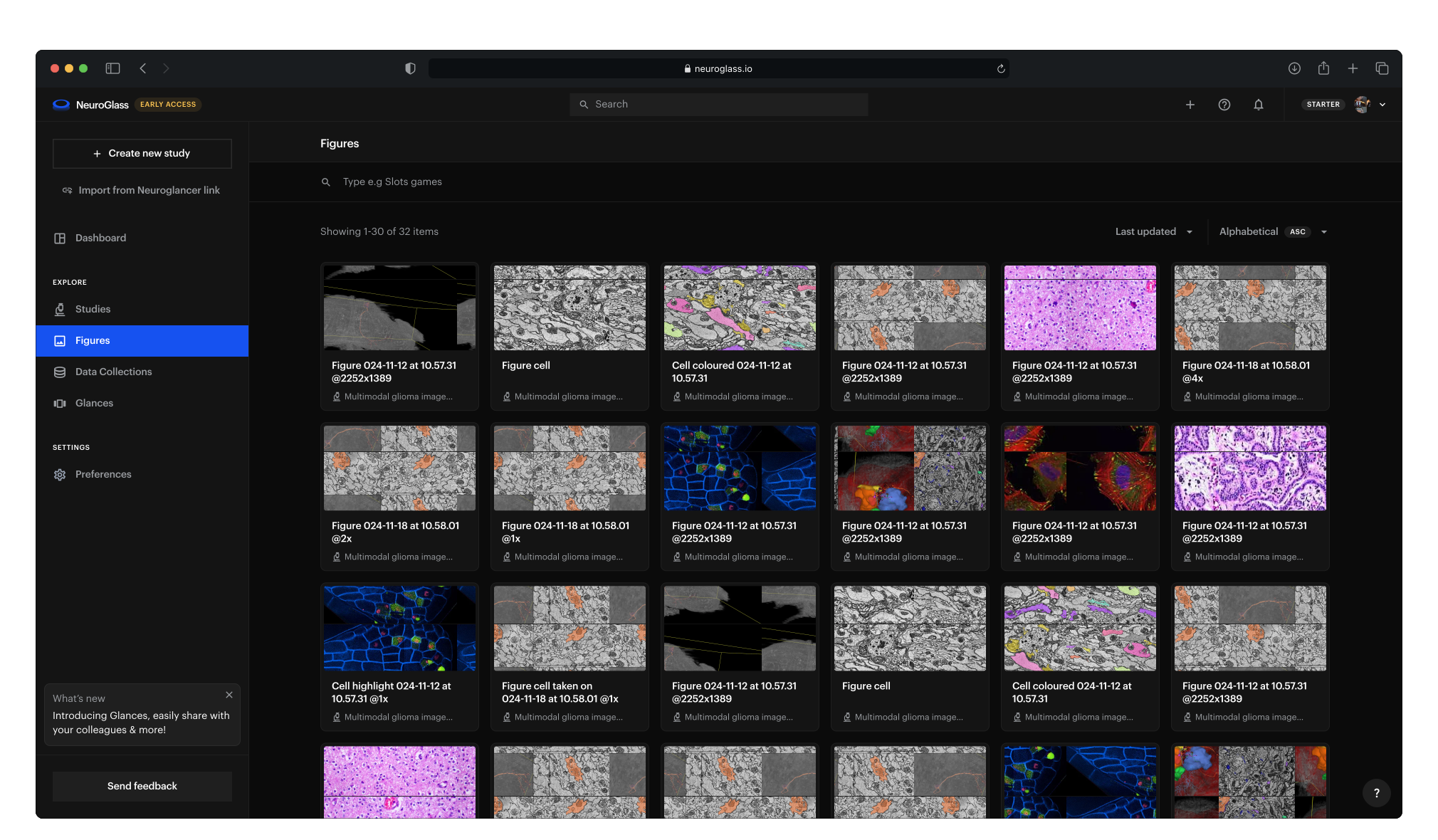
NeuroGlass records your team's work on its images as it happens, using the standards your field already relies on. Every study, snapshot, figure and annotation gets a permanent identifier and searchable metadata, so others can find it and build on it. Your images stay in your own storage.
Annotations
Beta · design partners
Annotations linked to ontologies
When one annotator labels a cell “L5 pyramidal”, another “pyramidal cell, layer 5” and a third “PC-L5”, the labels can't be counted or compared. In NeuroGlass, each annotation field can be linked to a public ontology, a shared vocabulary in which every term has a definition and an identifier.
How annotation works in NeuroGlass
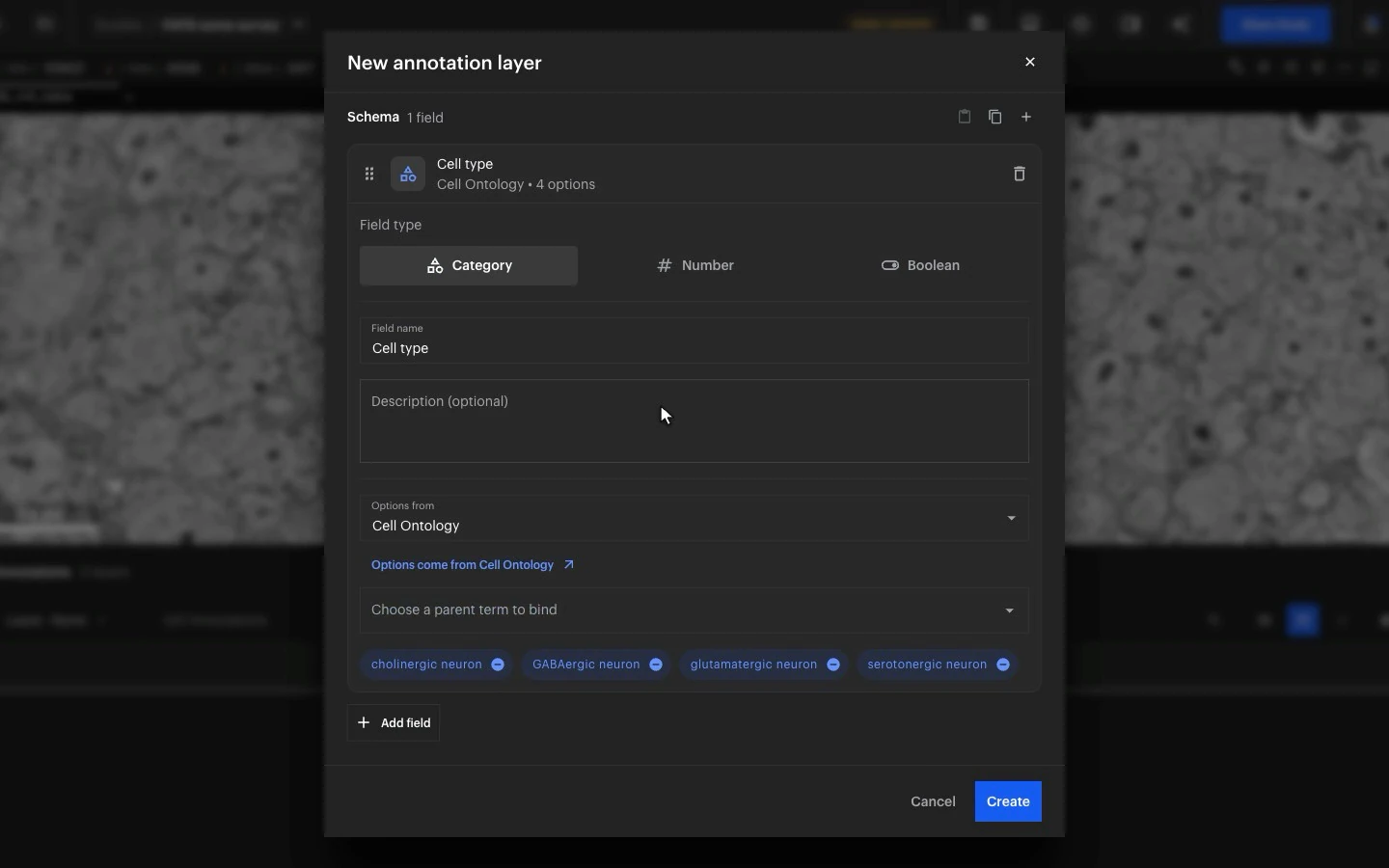
Fields built from ontology terms
When you set up a field, choose a term such as neuron in the Cell Ontology. Its subterms become the values annotators pick from.
Identifiers saved with every label
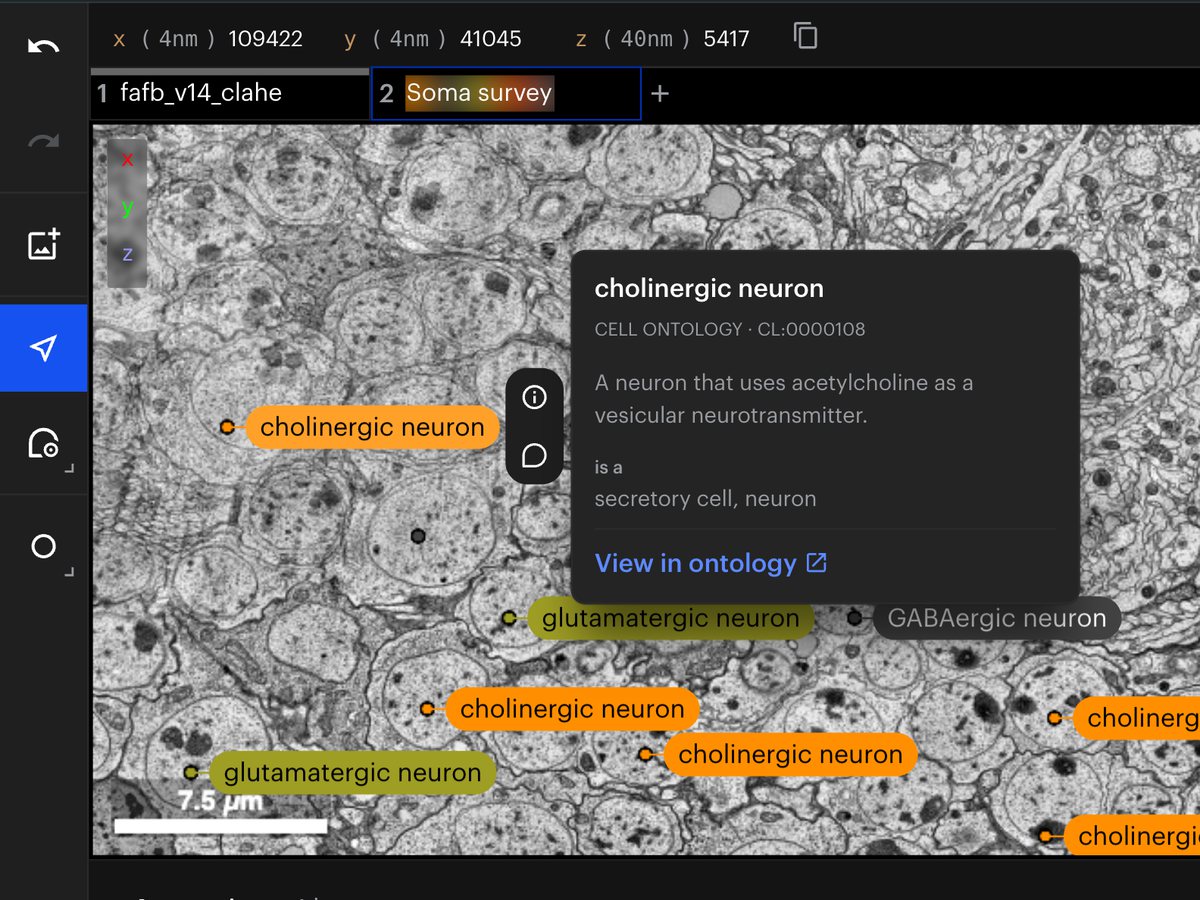
Each label is saved with its term's identifier, such as CL:0000540 for neuron, so other tools can match it to the same term. In the viewer, hover over a label to see the term's definition and a link to the ontology.
Ontologies available
Uberon for anatomy
Cell Ontology for cell types
Gene Ontology for structures inside cells
Cellular Microscopy Phenotype Ontology for how cells look
Mouse and human brain atlases for brain regions and cortical layers
Images: FAFB, the full adult fly brain (Zheng et al., Cell 2018), with example annotations.
Open Microscopy Environment
OME metadata and images
Data collections group datasets that share the same metadata fields. They follow the standards of the Open Microscopy Environment (OME).
Metadata fields from the OME model
When you create a data collection, pick its fields from the OME data model in a searchable list: acquisition date, pixel size, channel wavelengths, objective, magnification, detector and about 90 more.
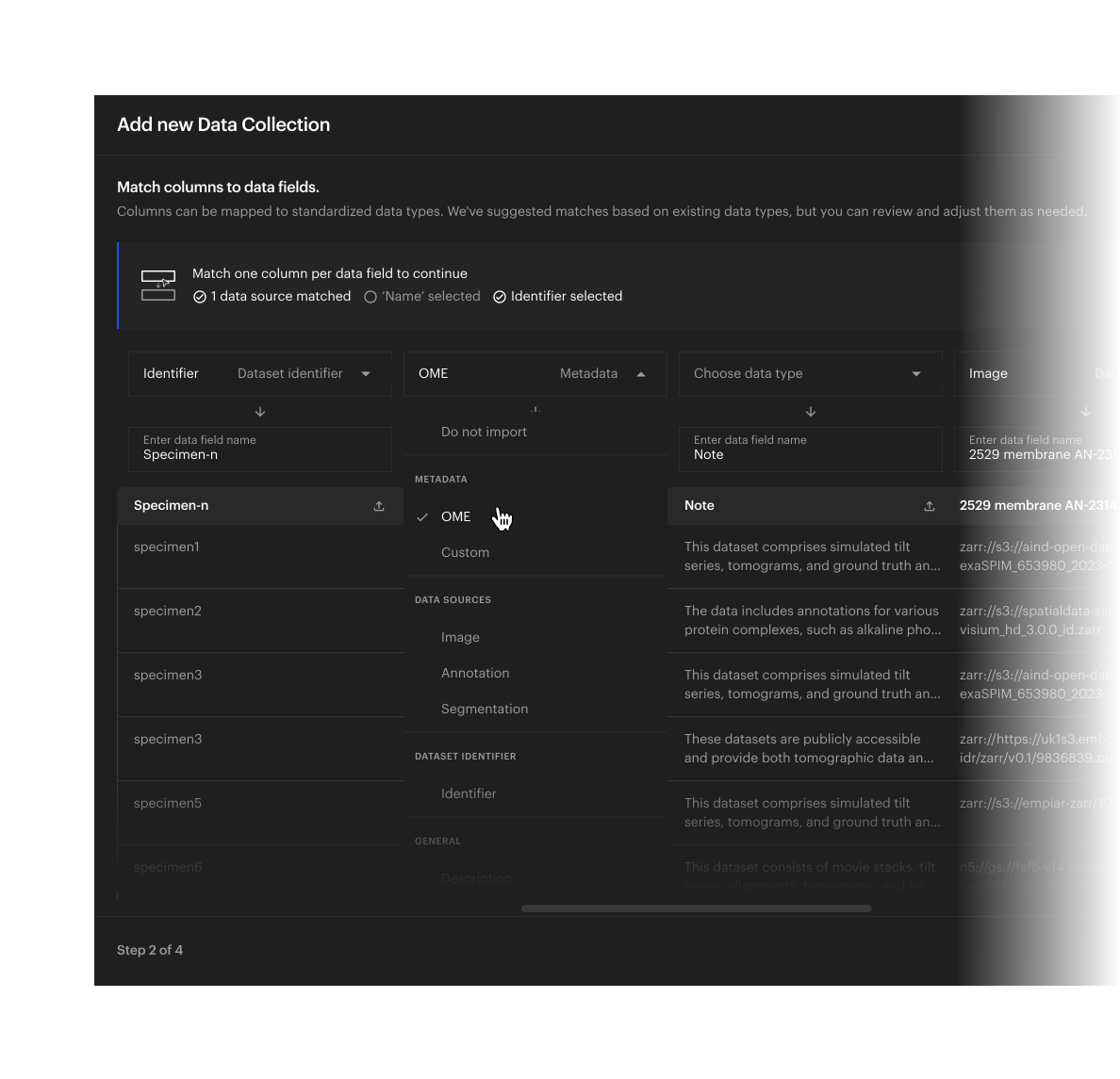
Spreadsheets matched to OME
When you import a collection from a spreadsheet, match its columns to OME fields, so every dataset is described with the same fields.
OME-Zarr images, opened directly
Images stored as OME-Zarr open from your storage at every resolution level and in physical units.
The FAIR Guiding Principles
FAIR, principle by principle
The FAIR Guiding Principles, published in Scientific Data in 2016, ask that research data be findable, accessible, interoperable and reusable, by people and by software. Each line below ends with the principle it meets. The FAIR Guiding Principles (Wilkinson et al., 2016)
Findable
Every study, glance (a saved snapshot of a study), figure, data collection and annotation has a permanent identifier, and studies, glances and figures have a stable link. F1
Studies carry the metadata your lab uses, along with species, tags and linked publications. F2
Each view stores the location of every dataset it displays. F3
Search covers names, descriptions, metadata and the contents of each view, and shows only what you have access to. F4
Accessible
Everything opens from its link in a web browser, and pipelines reach the same records through a documented API. A1
You choose who sees each study: you alone, your organisation, named collaborators, anyone with the link, or everyone. A1.2
A figure can be made public for a paper while its study stays private. A1.2
Studies and their history are stored apart from the images, so they remain if the images move. A2
Interoperable
Images open from your storage in OME-Zarr and the other formats Neuroglancer reads. I1
Views are saved in Neuroglancer's own format, so the open-source Neuroglancer viewer can load them. I1
Annotation values are ontology terms, and collection metadata can use OME fields. I2
A glance links to its study and to the glance it came from, a figure to its glance, a copy of a study to the original, and a study to its publications. I3
Reusable
Each glance records who saved it, when and what changed, and reopens exactly as it was saved. R1.2
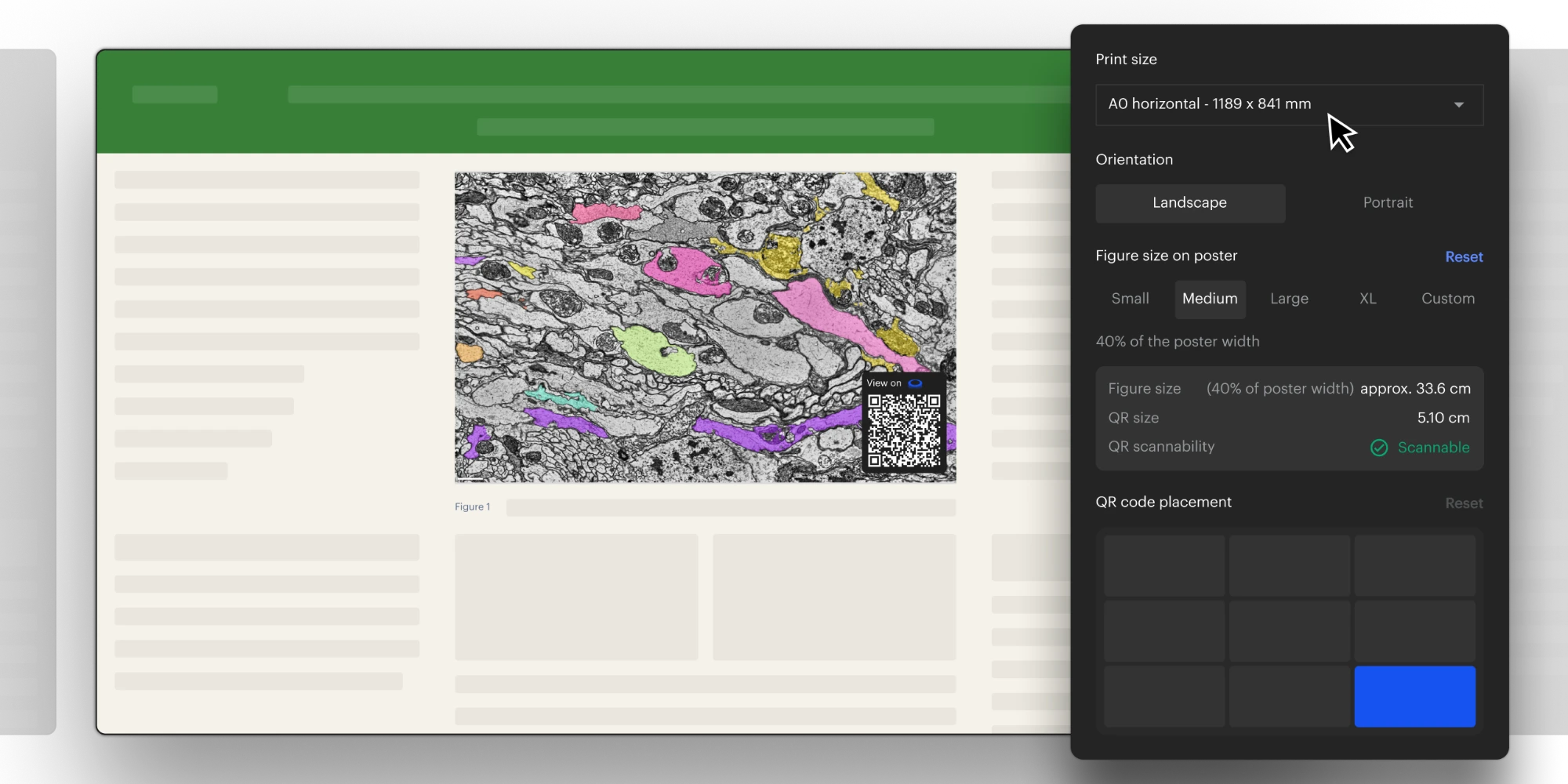
Each figure links to its glance, and a printed figure carries a QR code that opens it. R1.2
Each annotation records who created it and who last edited it, and each dataset links to its source. R1.2
A dataset's licence can be recorded in its metadata, next to its source. R1.1
NeuroGlass is built on Neuroglancer, the open-source viewer MetaCell co-maintains, and uses OME and open ontologies such as Uberon. R1.3
NeuroGlass features
What that looks like in NeuroGlass today
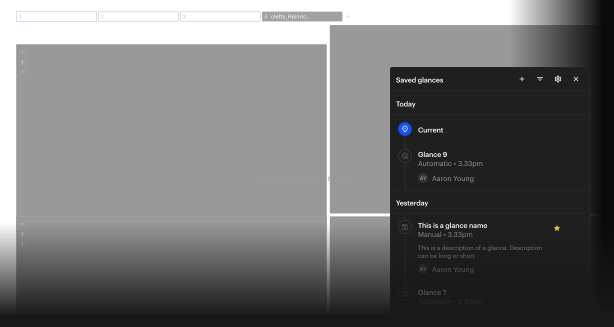
A study's history, glance by glance
Each glance shows who saved it, when, and what changed, and opens exactly as it was saved.
A QR code on every printed figure
Export a figure with its QR code, and anyone who scans the printed figure opens the interactive view behind it.
On the platform
In use today
On the platform in September 2026, each with a permanent identifier.
Studies
1,800+
Glances
8,000+
Figures
3,000+
The LiNC consortium, a network of connectomics labs in several countries, works in NeuroGlass as one shared workspace.
Frequently Asked Questions
Can't find an answer? Contact us


